QR menu & ordering
Scan, choose, order.No waving.
A code on every table opens your menu in the phone's browser. Each guest orders from their own phone, sees what their friends ordered, and asks for the bill when they're done. No app, no sign-up.
Free for 14 days, then EGP 499 a month with no commission
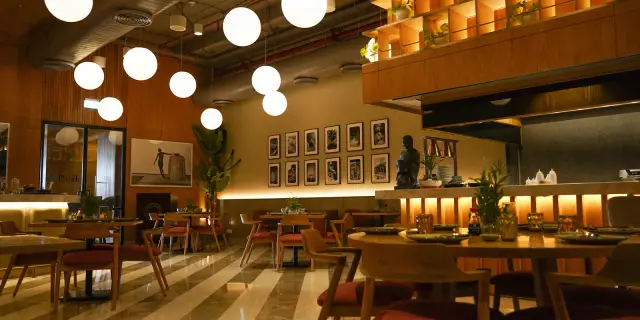
Before and after
What changes in a guest's visit, moment by moment.
Same guests, same team. The difference: orders, calls and the bill arrive by themselves, and your team moves when there's a reason to.
1Before ordering
A friend arrives late
Usually
Orders separately, and the waiter has to remember whose table it is
With Diyafa
Scans the same code and finds the table's orders waiting
Every order on the right table
Breakfast, ordered at 1 pm
Usually
Chooses, then hears it's no longer served
With Diyafa
The section closes on time and says when it's back
No “sorry, not anymore”
Service and tax
Usually
Discovered when the bill arrives
With Diyafa
Shown in the cart, before they tap order
A bill without surprises
2While they wait
“Will it be long?”
Usually
They ask the waiter, who asks the kitchen
With Diyafa
A countdown on their phone if you want, from your dishes' prep times
Fewer questions for your team
Something ran out after ordering
Usually
Someone walks back to the table to explain
With Diyafa
Your team strikes it while accepting, and the guest sees it's unavailable and removed
One less trip across the floor
Takeaway from the counter
Usually
They stand and wait, or someone calls out names
With Diyafa
A pickup number, and their phone says when it's ready
No pager devices to buy
3At the bill
Friends want to split
Usually
A calculator at the table, and the waiter redoes the sums
With Diyafa
“Whole table” or “Just my orders”, each with its amount
The bill is split before you arrive
One of them leaves early
Usually
Waits for the full bill, or someone works out their share
With Diyafa
Asks for their own, and your team marks it Paid
What's left is clear for the rest
After they've gone
Usually
You never hear what they thought of the food
With Diyafa
Stars for each dish and for the visit
You know what to fix
The table
The whole table orders together, each from their own phone.
The first scan opens the table, and everyone who scans after joins it by themselves. No code to type, no one to add them.
- 1
A friend arrives late
They scan the same code and see “Your group has already ordered” with the orders, so they know they're in the right place.
- 2
Everyone has their own cart
Each phone orders on its own, and everyone sees the table's orders, where each one is, and the total.
- 3
The bill, their way
“Whole table” on one bill, or “Just my orders”, each with its amount.
Moved to another table
Their orders and phones follow them. Floor & tables
Paying one by one
Your team marks each guest's bill paid, and the table stays open for the rest with what's “Left to pay”.
New guests at a quiet table
If the table has been quiet a while, the phone asks: “I'm with this group” or “We just sat down”.
Ordering
Every guest orders their way, and sees the total first.
Your menu with photos and prices, and every dish with the sizes and extras you actually make.
One item, one tap
A single coffee goes straight from its page; a bigger order builds up in the cart.
Sizes and extras
Each size at its price, pick-one or pick-any choices, and a note for the kitchen: “extra hot”, “no ice”.
Service and tax up front
The cart shows the subtotal, and the total with service and VAT.
Sold out stays unordered
An item or extra that's run out shows it, so nobody orders it and waits.
After ordering
Guests know where their order is, without asking anyone.
Every phone at the table sees each order and where it is, and it updates by itself with each tap from your team.
Not accepted yet
They can cancel it in one tap. Once accepted, only your team can.
Accepted, with a time
If you want one, a countdown from your dishes' prep times, and your team can add to it.
An item isn't available
Your team strikes it while accepting, and the guest reads that it's unavailable and removed. No countdown, if you'd rather.
A rating for each dish
After eating, stars for every dish that arrived and for the visit, in five seconds.
The counter
At the counter too: order, pay, and collect when the phone says so.
One code at the counter, for takeaway and guests on their feet. They order from their phone and get a pickup number, pay at your cashier, and the moment your team taps Ready, their phone shows “Ready, collect it”. No pager devices.
- 1
A pickup number at once
Large on their phone and on the kitchen ticket, starting from 1 each day.
- 2
Pay first
The cashier accepts the order once it's paid, and the kitchen and the countdown start.
- 3
Ready? The phone says so
Their phone shows “Ready, collect it” with their number. And no table service charge at the counter unless you turn it on.
The details
Small details guests notice.
Orders only from phones at your place
Turn on the location check if you want, and orders and staff calls only go through from phones at your place. Anyone can still browse the menu. The first time, the phone explains why before it asks.
Any phone, no app
iPhone or Android, from the camera straight to the menu.
Arabic or English
Each guest picks their language on the menu.
A first-time welcome
A short screen: where to order, where to follow it, where to call.
Help in one tap
Waiter, water, cutlery, napkins or the bill, and they see “On it”.
“Menu only” tables
Guests read the menu and call the team from their phone, and your team takes the order. Busy? Pause guest ordering for a while, and the menu stays open. Orders & kitchen
Free or charged water
You decide. If charged, guests confirm the quantity and price and it's ordered like any item.
Your menu
Your menu, up to date on every table.
Change a price, mark a dish sold out or hide a section, and every phone has it straight away. Nothing to reprint.
Menu
Categories, items, photos and prices. Guests see changes right away.
Categories
Category name
Serving hours
All dayFrom – To
Guests can't order from it outside these hours. Staff still can.
On the menu
Off hides it from guests and staff. It stays here, ready to switch back on.
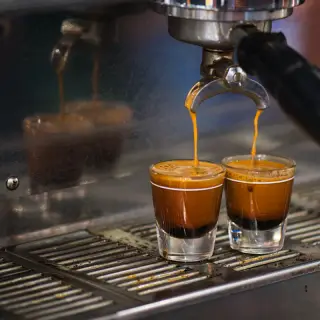
Espresso
إسبريسو
EGP 30.00 · 4 min
Cost per sale EGP 11.00 · 63% margin

Latte
لاتيه
EGP 45.00 · 6 min
Cost per sale EGP 23.00 · 49% margin
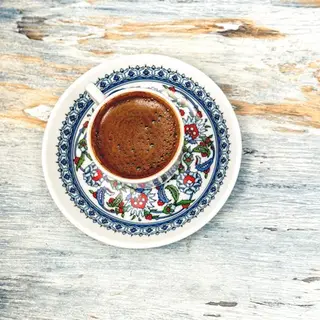
Turkish coffee
قهوة تركية
EGP 35.00 · 5 min · Sold out
Cost per sale EGP 10.00 · 71% margin

Iced latte
لاتيه مثلج
EGP 55.00 · 6 min
Cost per sale EGP 25.00 · 55% margin
Sizes at their own price
Each size at its full price, with extras added on top.
Choices and extras
Pick one or pick any, required or not, each at its price or free.
Hours for each section
Breakfast in the morning only, and guests see when it's back.
Sections you can hide
Ramadan offers stay ready, and appear the day you switch them on.
Prep time for each dish
It sets the guest's countdown if you show one, and your team adjusts it per order.
Popular and stars
Mark dishes as Popular, and choose whether guests see the stars.
Menu import
Have a menu already? Bring it in within minutes.
No typing item by item. A PDF or photos of the menu you have, and the rest is a few steps.
- 1
Copy our instructions
From the import page, in one tap.
- 2
Send them to any AI assistant
Gemini, Claude or ChatGPT, with your menu's PDF or photos, then paste its reply into Diyafa.
- 3
Check and import
Every item with its price, under its category. Fix what needs it, and import them all at once.
Changed your mind? You can undo the import until the day ends.
Payment stays at your cashier.
Diyafa doesn't take money. Guests ask for the bill on their phone, your team gets the request with the amount, and they pay cash or card the way they do now.
And it carries on into Diyafa's other services.
Questions about ordering.
Do guests need an app or an account?
No. The camera opens the menu in the browser straight away, with no sign-up, password or table number to type.
What if a guest would rather not order on their phone?
Someone on your team takes it on their own phone, and it joins the same table as their friends' orders. Orders & kitchen
Do I have to show guests a countdown?
No, it's your choice. Without it, guests see “Order received”, then “Coming right up” when it's on its way.
Can someone order from home with a photo of the code?
Not if you turn on the location check: orders and staff calls only go through from phones at your place. Anyone can still browse the menu.
What if a code gets shared or photographed?
Give the table a new code, or make it “Menu only”. And the location check, if you use it, stops orders from outside your place. Floor & tables